
GPS Location Tracker Plus review
 Analysis by GetAllApps
GPS Location Tracker Plus is most appealing when everyone involved wants a simple way to keep one another in the loop, rather than a full navigation suite. Its focus is shared location and safe-area alerts, which makes it a practical family-safety tool in the right household. I would consider it for coordinating everyday check-ins, but I would not treat a location tracker as a substitute for a phone call, a travel map, or an emergency service.
Location sharing is the point, not turn-by-turn navigation
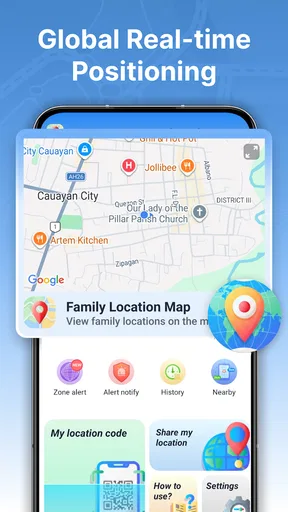
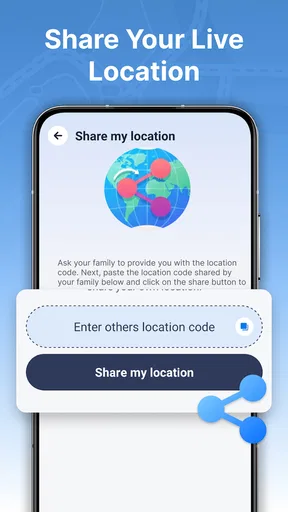
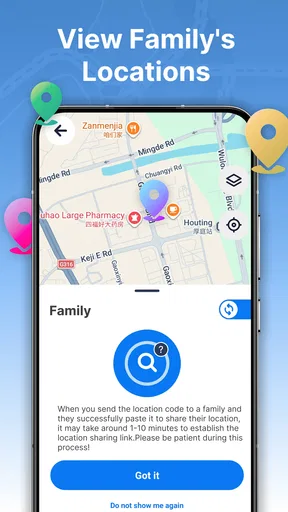
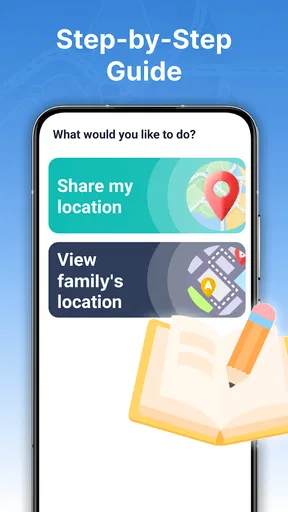
In the crowded world of maps and navigation apps, this one takes a narrower path. The idea is to follow a person’s location in real time, share your own position, and set alerts around areas that matter to your family. That emphasis is useful: when the question is “Has everyone arrived?” a shared-location view can be more direct than sending repeated messages or asking someone to describe where they are.
The distinction matters because the name can suggest a conventional GPS navigation app. I would not choose it as my primary tool for finding a route, comparing journey options, or exploring an unfamiliar city. Its value is in helping people stay aware of one another’s whereabouts. If that is your need, the focused approach is a strength; if you mainly want directions, a standard map app is a better fit.
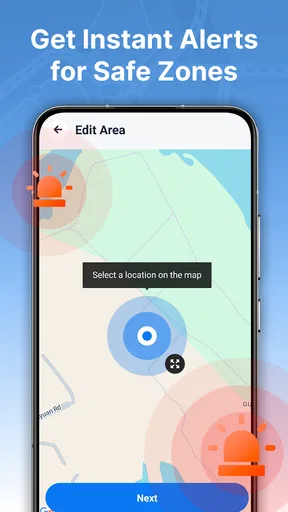
One of the more sensible ways to use a safe-area alert is to agree on a small number of meaningful places rather than trying to monitor every movement. A family might care about arrival at home or school, for example, but not need a notification every time someone crosses an arbitrary boundary. Keeping alerts tied to a clear purpose can make them easier to notice and less likely to become background noise.
Useful for routines, not just emergencies
Location sharing is often framed as an emergency feature, but its everyday value is usually more modest. Imagine a parent finishing work while a teenager is travelling home: checking a shared location can answer whether the trip is still underway without interrupting them with another text. Or, when relatives are meeting at a busy venue, a live position can help them find one another more easily than a long exchange of landmarks.
That convenience depends on everyone participating. A tracker cannot show a family member who has not chosen to share their location, and seeing a dot on a map does not explain why someone has stopped or whether they are safe. I would treat it as a coordination aid, not as proof that everything is fine. If a situation genuinely worries you, contact the person directly.
For the same reason, it is worth discussing expectations before using the app together. Agree on who can see whose location, when sharing is useful, and whether alerts are for arrival checks or something else. That conversation is not a technical extra: it is what separates a mutually helpful family tool from a source of unwanted monitoring.
What the app’s reach does—and does not—tell me
The app is free, has an Everyone content rating, and is published by Anuoluwapo Product Limited. It has an average rating of 3.9 from around 3,200 ratings, with more than 1 million installs. Those figures suggest that it has found a sizeable audience, while the rating points to a mixed rather than universally enthusiastic response. I would use that as a reason to try it carefully with a small group, not as a guarantee that it will suit every family.
GPS Location Tracker Plus is on version 1.3.0.0, and its listed minimum operating-system requirement is version 9. The app was released on April 13, 2026. For someone choosing a family tracker, the practical takeaway is to check compatibility on the phones that will actually participate before building a routine around it. One person being unable to use the same tool can undermine the convenience for everyone else.
The version number and adoption figures are context, not a verdict on reliability. Location services depend on the devices and settings involved, so I would avoid assuming that a map position is always perfectly current. Before relying on alerts for a regular school pickup or a meeting point, test the workflow in an ordinary situation: confirm that sharing is active, make sure the relevant family members understand what the alert means, and have a simple backup such as a message or call.
The main trade-off: reassurance can become noise
The most meaningful limitation of a family tracker is not a missing map feature; it is the risk of asking it to do too much. Repeatedly checking another person’s location can create anxiety rather than reduce it, especially when a position appears unchanged or an alert does not arrive when expected. I would set a clear reason for sharing and keep the group limited to people who have agreed to participate.
Safe-area alerts are most helpful when the boundary represents a real decision point. If every routine movement generates a notification, family members may start ignoring them. A useful setup is therefore conservative: choose only the places where an arrival or departure genuinely helps someone coordinate, then adjust if the alerts prove distracting. That approach is more likely to preserve the feature’s value than trying to track every part of someone’s day.
There is also a human limit to what location data can tell you. A displayed position cannot confirm whether someone is comfortable, has a working phone, or needs help. Nor should it replace an agreed check-in for a long trip or a plan for contacting someone who does not respond. I see the app as one layer of communication, not the whole safety plan.
Who is likely to get the most from it
I can see this being useful for families who already communicate openly and want a low-friction way to coordinate arrivals, meetups, or routine travel. It may also suit relatives who live apart but share locations by mutual agreement. The strongest case is a group with a specific, repeated need—such as confirming that someone reached a familiar destination—rather than a household looking for constant supervision.
It is less suitable for someone who wants detailed route planning, public-transit guidance, or a broad set of travel tools in one place. A conventional navigation app is the better choice for those jobs. It is also a poor fit if a family member does not want to share their location or if the group has not agreed on boundaries. In that situation, a direct check-in is more respectful and may be just as effective.
Before inviting others, I would decide what each person actually needs to see. If the goal is only to coordinate a particular journey, sharing can be limited to that purpose rather than treated as an all-day expectation. I would also keep a backup plan for times when a phone is unavailable. Those habits make a location tool more useful while reducing the chance that a missed update is mistaken for a crisis.
A practical way to try it
Rather than rolling it out to a whole family immediately, start with one familiar routine. Pick a trip or meetup where location sharing would save a few messages, agree on who will share, and see whether the safe-area alert adds useful information. If the map view helps everyone coordinate without prompting constant checking, the app is serving its purpose. If the alerts feel intrusive or unreliable for your routine, it is reasonable to stop using them and return to calls or messages.
This small trial also helps clarify whether the app complements the tools people already use. Many phone platforms and map services offer some form of location sharing, so the question is not simply whether tracking is possible. It is whether this particular app makes the family’s chosen workflow clearer and easier. For a group that wants a dedicated place for live location and safe-area notices, that focus may be convenient; for a group already satisfied with built-in sharing, another app may add little.
I would not judge it by how often someone opens it. A successful location-sharing tool may be checked briefly and only when coordination calls for it. The real test is whether it reduces avoidable back-and-forth without encouraging people to monitor one another unnecessarily. Keeping that standard in mind is more useful than treating constant visibility as the goal.
My verdict for families considering it
GPS Location Tracker Plus makes the most sense as a focused family coordination app: share positions, use safe-area alerts for a few agreed destinations, and keep direct communication as the fallback. Its free price and straightforward purpose make it easy to consider, but the app works best when people share willingly and alerts serve a specific routine. I would recommend giving it a limited, practical trial if your family often needs arrival check-ins. If you want navigation first, dislike location sharing, or need a tracker to guarantee someone’s safety, I would choose another approach.
Pros and cons
Pros
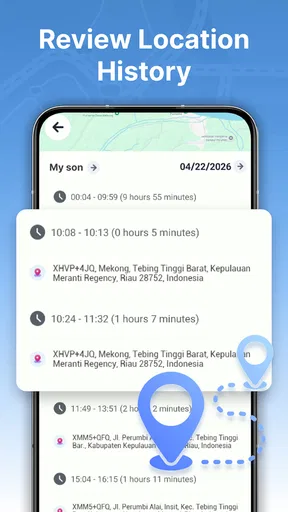
- Records location history for reviewing past routes.
- Can help share your whereabouts with trusted contacts.
- Useful for keeping track of personal trips.
- GPS-based tracking can provide precise location updates outdoors.
- Location tracking may help users find a misplaced device.
Cons
- GPS tracking can drain battery power quickly.
- Accurate updates may be limited indoors or in poor weather.
- Location history can raise privacy concerns.
- Background tracking may require persistent location permissions.
- Tracking quality depends on GPS signal and network access.


